
The Settings page lets you select the repositories of the LogPoint Search Head and Distributed LogPoints for UEBA analysis. The page also lets you enable the history service to forward 30 days of historical data to UEBA.
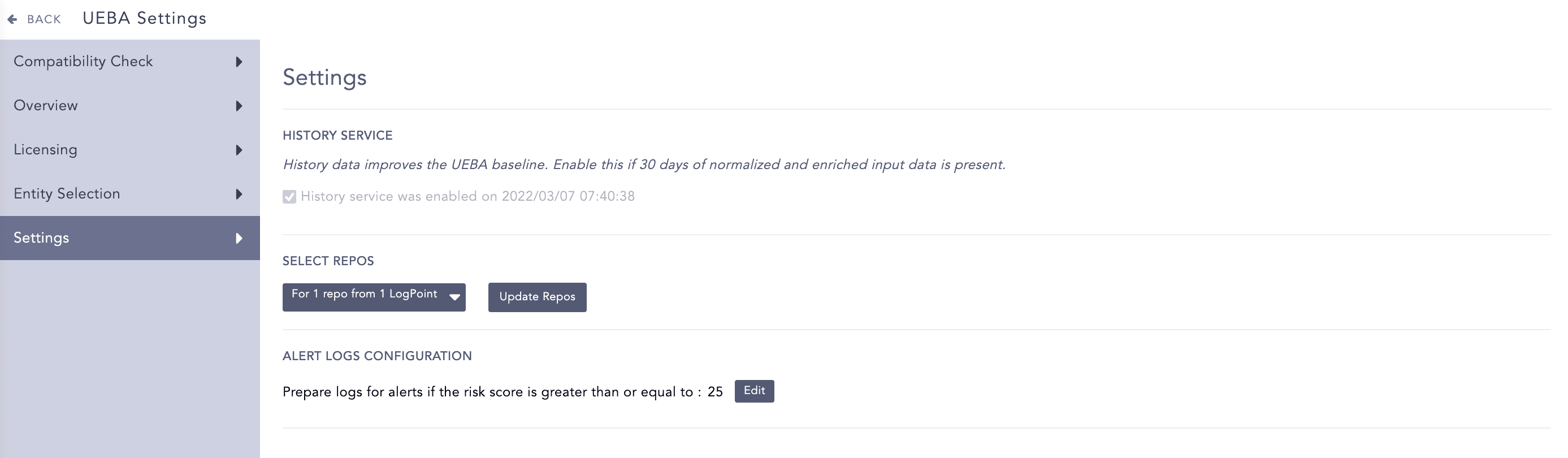
Settings Page
You can select multiple repos from the drop-down list in the Select Repos section. The repos in the Repo Selector are grouped either by Distributed LogPoints (DLP) or by Repo.
Go to Settings >> Configuration >> UEBA Board.
Select the Settings tab.
In the Select Repos section, click Change from the drop-down list to open the Repo Selector panel. From the panel, choose to change how to group the repos.
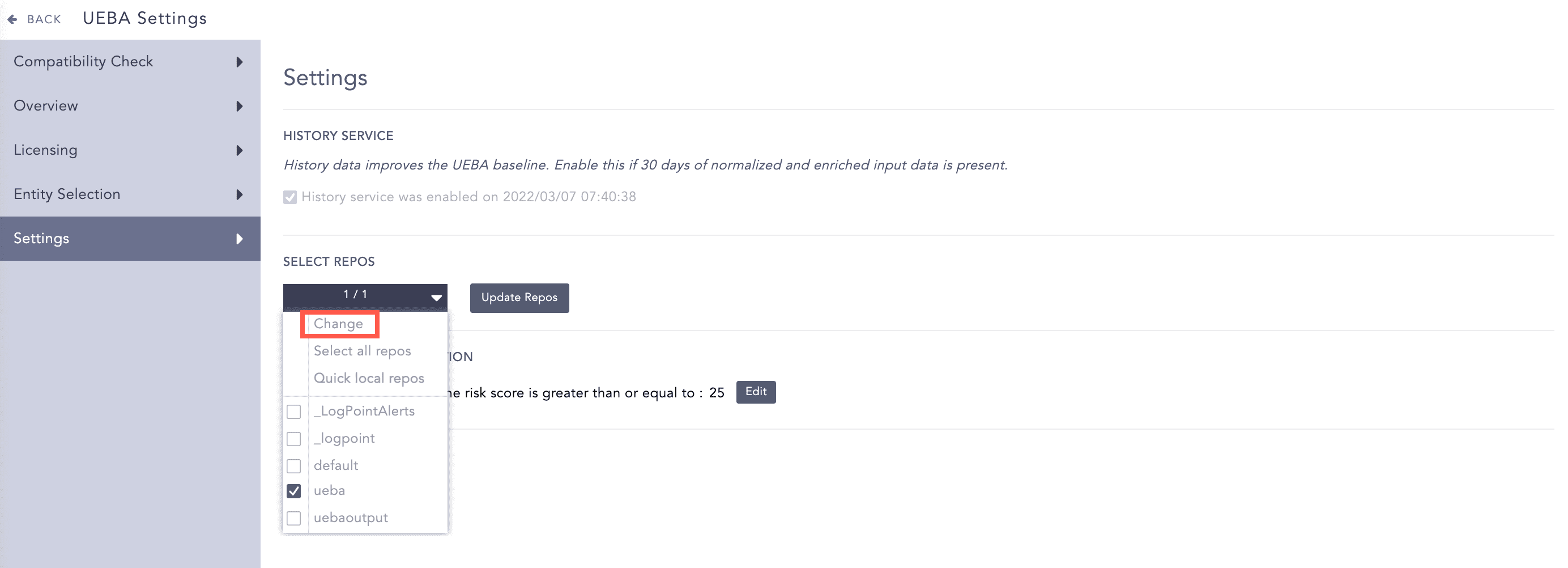
Selecting Repos
Click Fetch Remote to fetch the repos of all the connected DLPs.
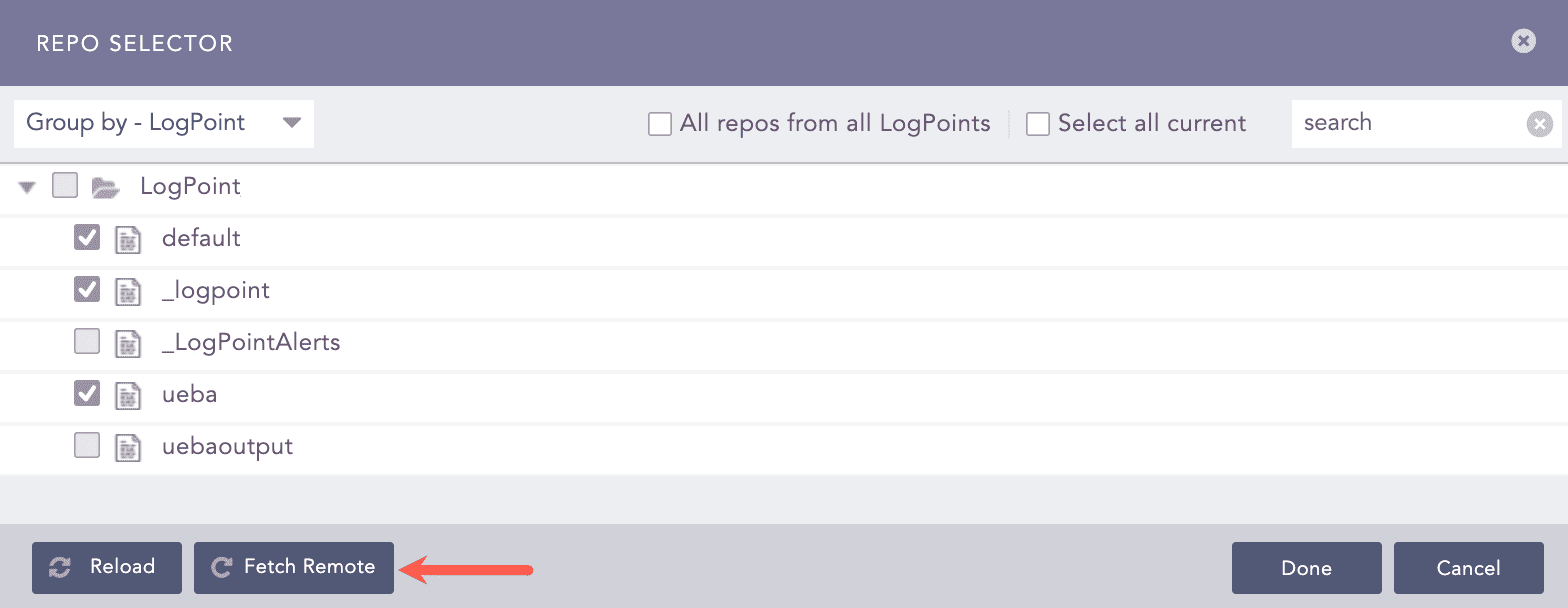
Fetching Repos
Click Reload to make the repos visible in the panel.
Check All repos from all LogPoints to select all the repos from all the connected LogPoints.
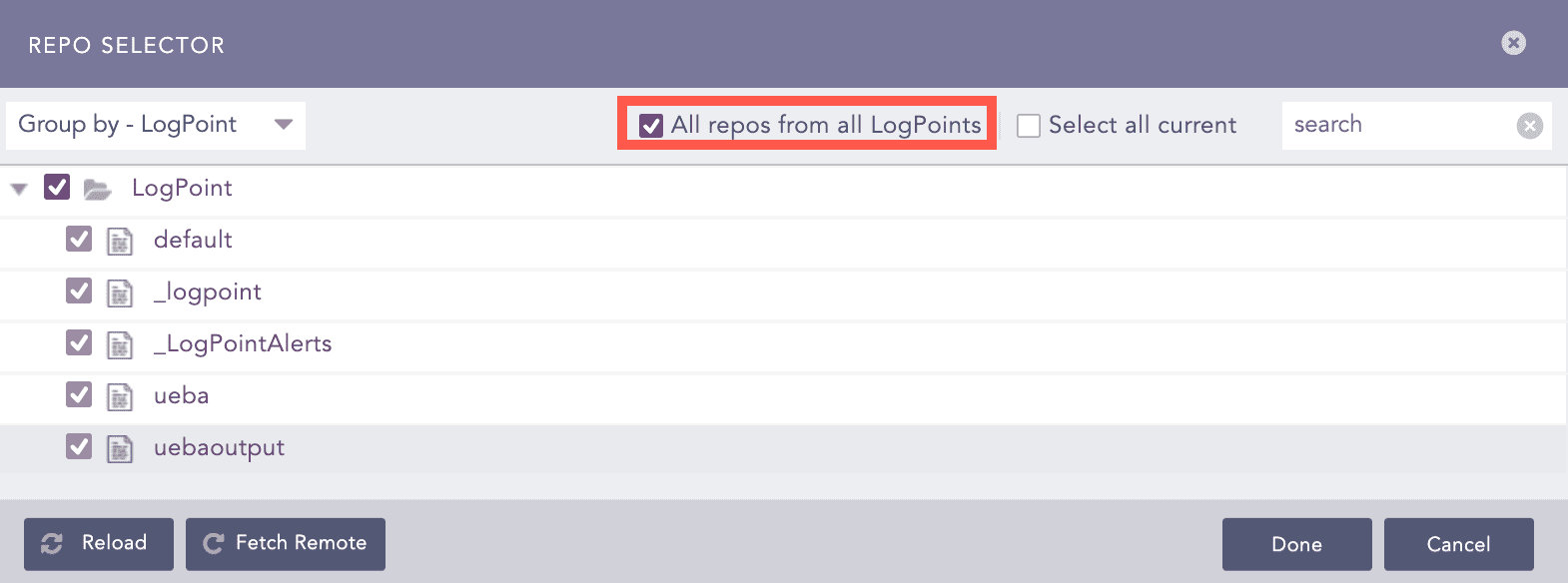
Selecting All Repos from all LogPoints
Note
If you select All repos from all LogPoints and add a new DLP in the Search Head, all the existing repos, as well as the newly added repos of the new DLP machine are also selected in the Search Head.
Search for the desired repos from the search field next to the Select all current checkbox.
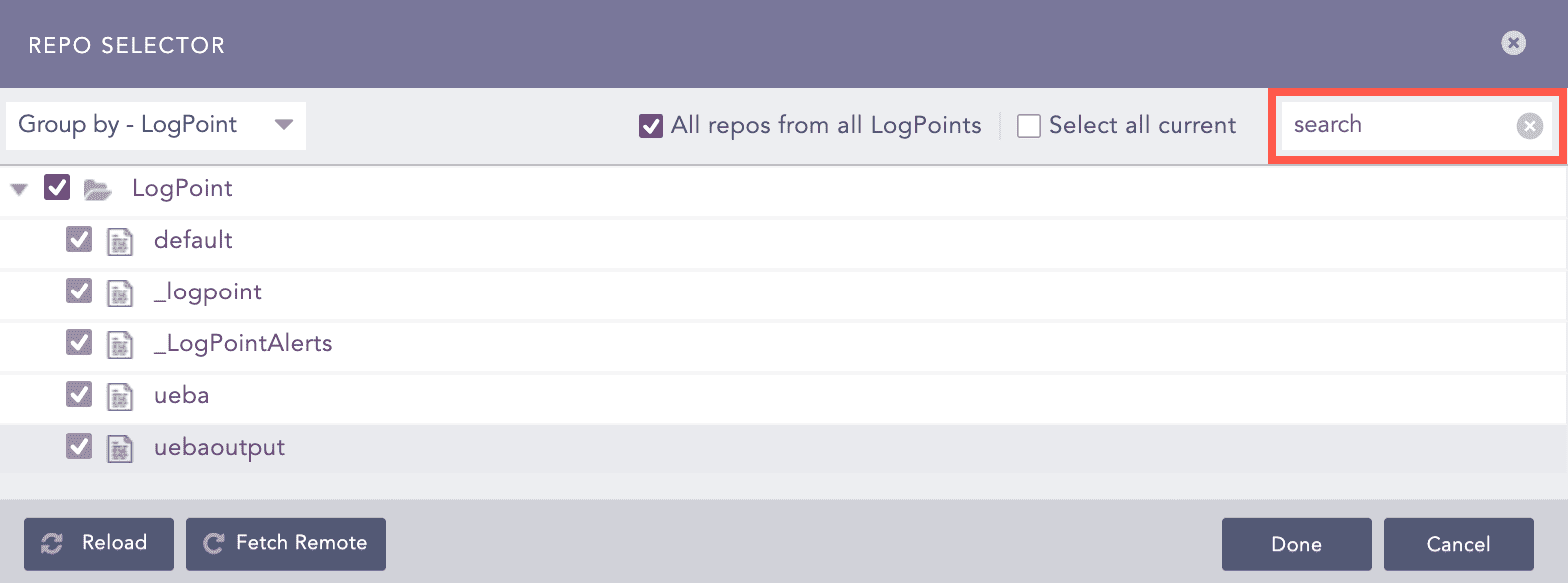
Searching for Repos
Click Done.
Check the Enable history service option if you have 30 days of enriched and normalized input data present in your system.
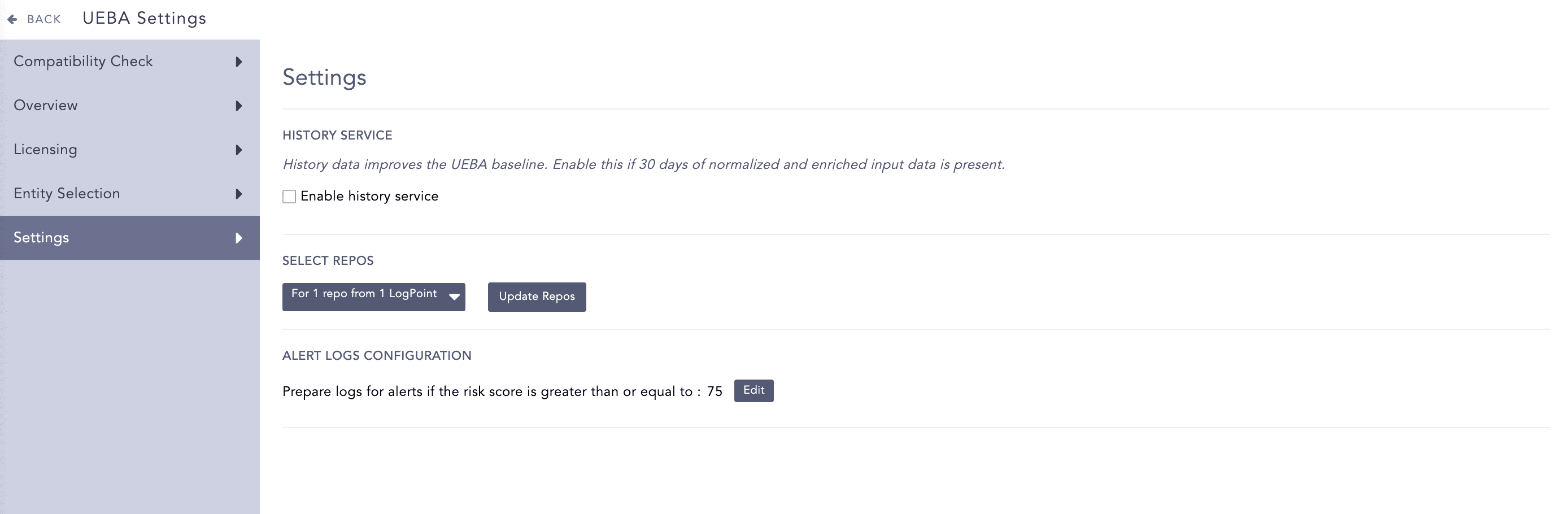
Enabling the History Service
Note
Enable the history service for better baseline and result. You can enable the history service only once. If you do not enable the history service, LogPoint forwards input data from the date you configure the repos.
Click Update Repos.
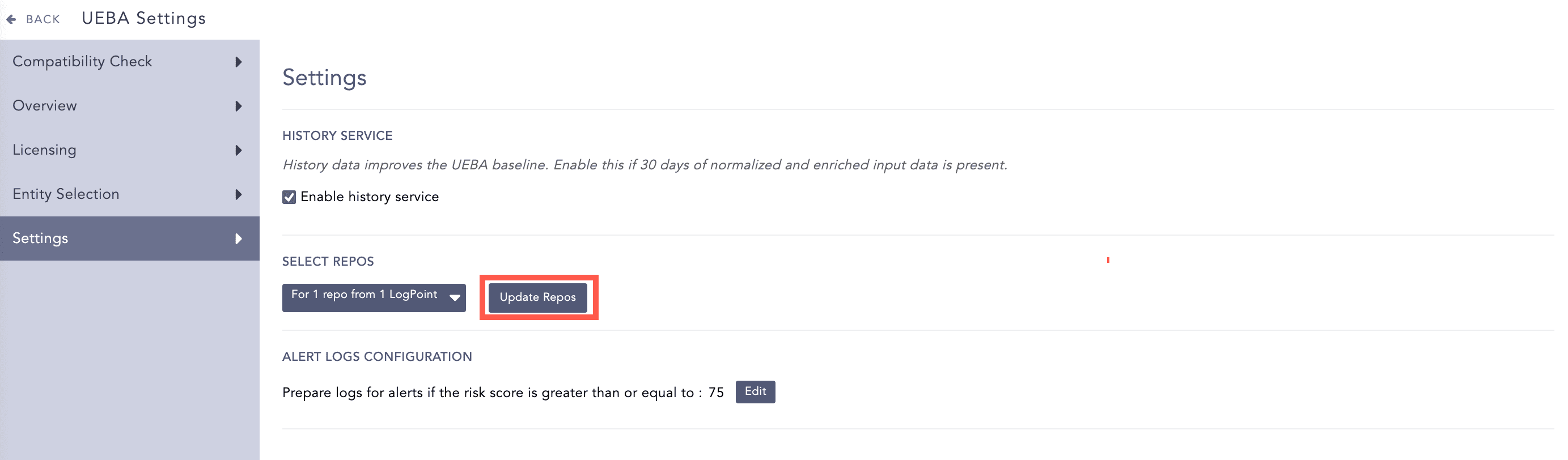
Updating Repos
LogPoint prepares the anomalies generated by UEBA with a risk score of more than or equal to 75 to use in the alert rules. However, you can change the value of the risk score by following the steps below:
Go to Settings >> Configuration >> UEBA Board.
Select the Settings tab.
In the Alert Logs Configuration section, click Edit and drag the slider to change the value of the risk score.
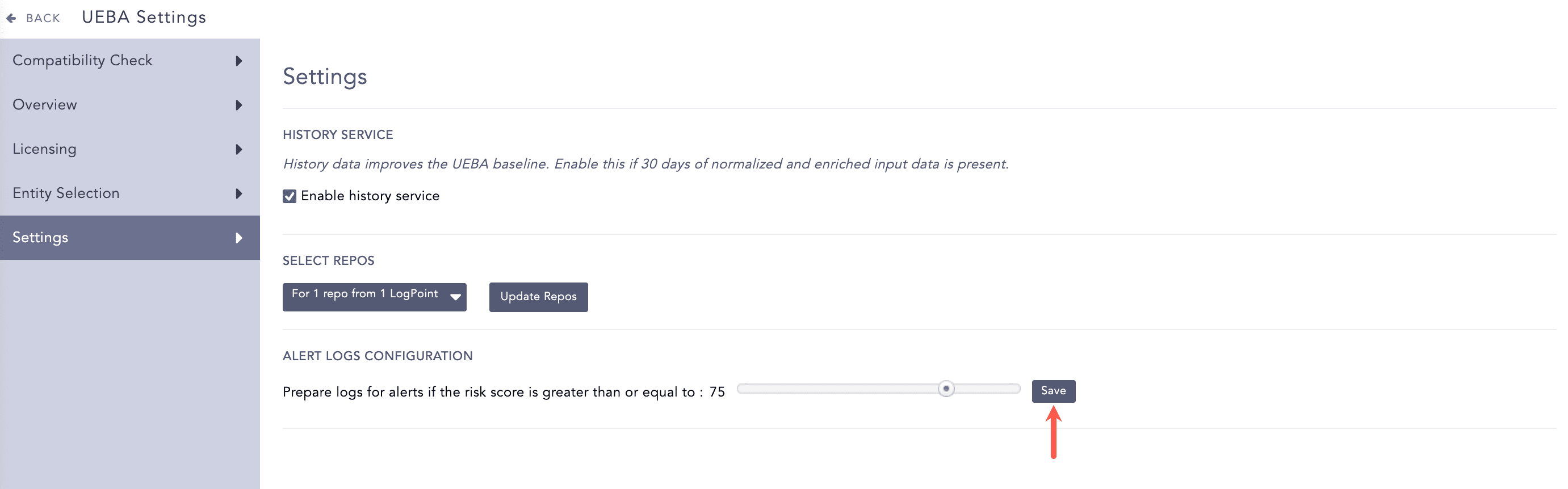
Changing the Risk Score
Click Save.
Note
Refer to the About UEBA Alerts section for more details on alert rules.